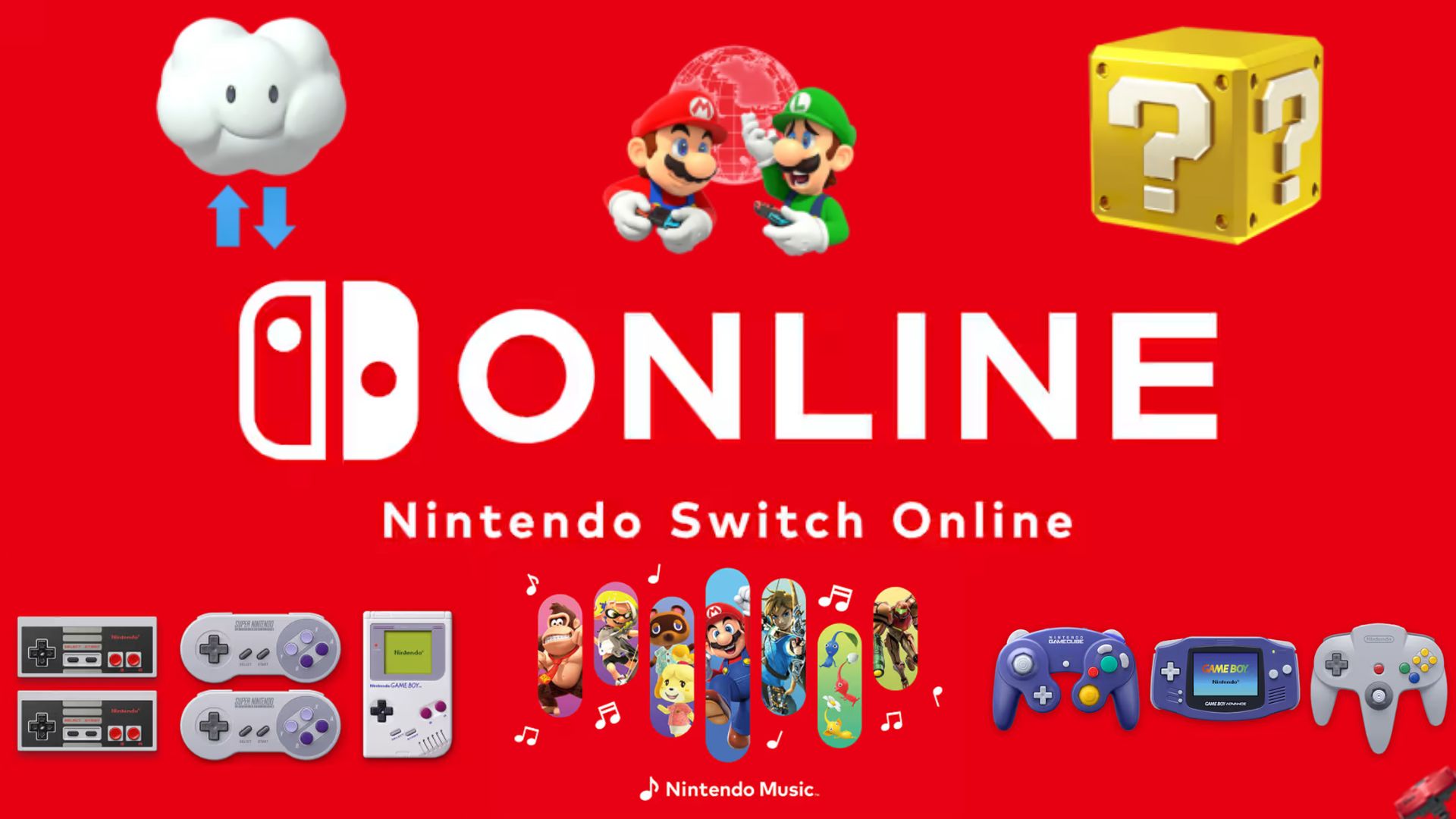
Nintendo Switch Online (NSO) initially released with minor controversy, since Nintendo was the last console developer to release an online subscription, and online was rarely Nintendo’s strong suit. Admittedly, their online service has been good for the Switch generation, mainly across “Mario Kart 8 Deluxe” and the “Splatoon” title. Over the years, NSO has had a lot to offer, probably way more than people think, but there are some oddities about its service. From adding games and soundtracks and small additional perks that are behind the subscription, it feels like there is a foundation for something great, but it is good or just enough, from what you use with NSO.
In my time using Nintendo Switch Online, I have made good use of what it offers. My online experience has been fine. I have played older titles I would not have otherwise, if it was not for their retro games library, along with their respective controllers based on the original Nintendo home console controllers, and I like having my Switch profile icon being of some of my favorite Nintendo characters. I get my money’s worth, especially with the annual plan, which is $19.99 (USD) per year for the basic subscription.
So, what exactly does NSO offer?
NSO is primarily for online play with the Switch and its library. That is the main selling point, but there is also a general use with NSO, that being Cloud Save. Cloud Save allows for your games’ save data to be backed up online, which makes it convenient if you are moving from one system to another. However, not every game is supported. The mainline Pokémon games. Neither Nintendo, Pokémon Co., nor Game Freak ever stated a reason for the Pokémon games not to be compatible, but most people online suspect it is to prevent cheating via save exploits. This is thought about “Animal Crossing: New Horizons,” since it is not supported either, but the developers added an external transfer tool that functions as cloud save data. Regardless, backing up save data and having it easily transferred between systems automatically is convenient. But the biggest highlight of the service is the Nintendo Classics library.
Nintendo Classics
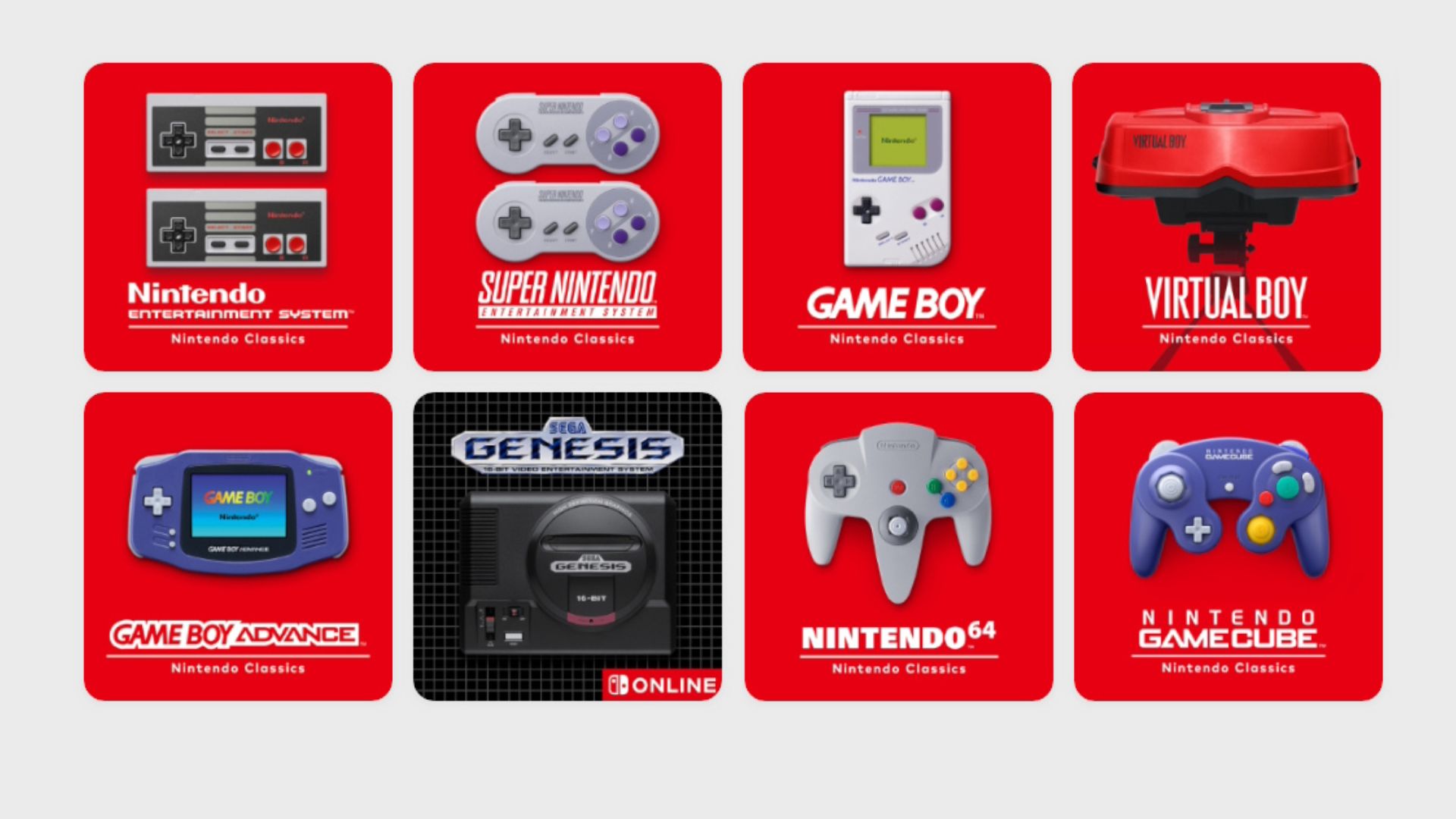
The Nintendo Classics allows you to play a library of older games on the Switch and Switch 2 from Nintendo’s previous consoles and the SEGA Genesis. The base tier consists of NES, SNES, Game Boy and Game Boy Color games, while the Expansion Pack offers N64, Game Boy Advance, SEGA Genesis, Virtual Boy, and GameCube games (GameCube titles are Switch 2 exclusive). What makes the Nintendo Classics library neat is that it has a list of Nintendo and non-Nintendo titles that you can pick up and play anytime. I have enjoyed playing some classic games in recent years since the titles are there. It is a convenient way of playing retro titles if you are unable to access the original hardware or other methods.
Nintendo Classics allow you to rewind your gameplay if you fail a jump, miss a hit, get hit, etc. Though the GameCube app does not have this feature, nor does the N64 app, unless it is played on Switch 2. Nintendo Classics also allows you to have up to four suspend points if you need to pause in the moment or have a load needed. The home console titles have game screen options, in either 4:3, Pixel Perfect, or with a CRT filter, with the N64’s CRT filter being exclusive to the Switch 2. The Game Boy app allows you to choose between the screens from the Game Boy, Game Boy pocket and the Game Boy Color.
Multiplayer is done either locally or online. You can play these retro games with others outside your home. Makes it convenient to play older multiplayer games, such as “Mario Party,” with your friends. Some titles in the library were not released during their console’s lifetime. Such titles, like “Earthbound: Beginnings” and “Star Fox 2,” are titles that were not released till 2015-2017 through the Wii U’s Virtual Console and the SNES Classic Edition, respectively. Them being in the Nintendo Classics library allows them to be playable outside of their limited release. Plus, unreleased Virtual Boy games that were shelved due to console’s failure will become available later this year. Not to mention that Nintendo has added titles that never left Japan, meaning several games are becoming available internationally for the first time.
Though availability is good, since these games are behind a subscription, the moment that your subscription expires or if servers ever go down, the library will become unavailable. There is no option to have certain titles on your system outside of the service, like Virtual Console from Nintendo’s previous systems, which allows you to buy and permanently have on your system. Not to mention, the app for Nintendo Classics needs to check that you have a subscription, so it requires WiFi to open up. Additionally, the Japan-only titles available internationally are not localized for an international audience. While some unlocalized games you can still play just fine, unless you know Japanese, you will not be able to enjoy the game fully or even know what you are doing. For example, “F-ZERO Climax” has given me some complications in doing missions and customizing my controls because I am unable to read without a guide on the side.
Nintendo releases a few titles every month, but there is no clear pattern of which titles from which console will be added. For example, with GameCube Nintendo Classics, Nintendo has shown off a few titles from the April 2025 Switch 2 Direct, but before the release, they dropped “Wario World” in December, a title they did not announce in the initial lineup.
Now, a good aspect of the library is that most of the games that become available stay available to this day. I say most because, in late March of last year, “Super Formation Soccer” was removed from the Japanese library. It was published by Spike Chunsoft, so it is not a Nintendo title, but it does set a precedent that titles can be removed from the Nintendo Classics library. “Super Formation Soccer” was only in Japan’s library, and its removal is, so far, a one-time occurrence. Japan’s NSO has its own library separate from the international lineup. This includes Fire Emblem games that were never released outside Japan and “Mother 3.”
While Nintendo Classics is great for playing retro titles, some of them you cannot access content that was behind cross compatibility present in the original hardware. A good example of this is with “Mario Tennis” for the N64 and GBC. “Mario Tennis (GBC)” has you play as human characters, going through a story mode where you learn how to play tennis. This allows you to get stats for your character and build your own character. With the N64 title, you can send the character data over to play as your character on the big screen and unlock courts and characters between the two versions. For the GBC title, they do have the Mario characters that are locked behind this feature unlocked from the get-go on NSO, but it does remove a feature of those titles. This extends to the “Mario Golf” and “Pokémon Stadium” titles and has me questioning how they will do “The Legend of Zelda: Four Swords Adventure” for the GameCube.
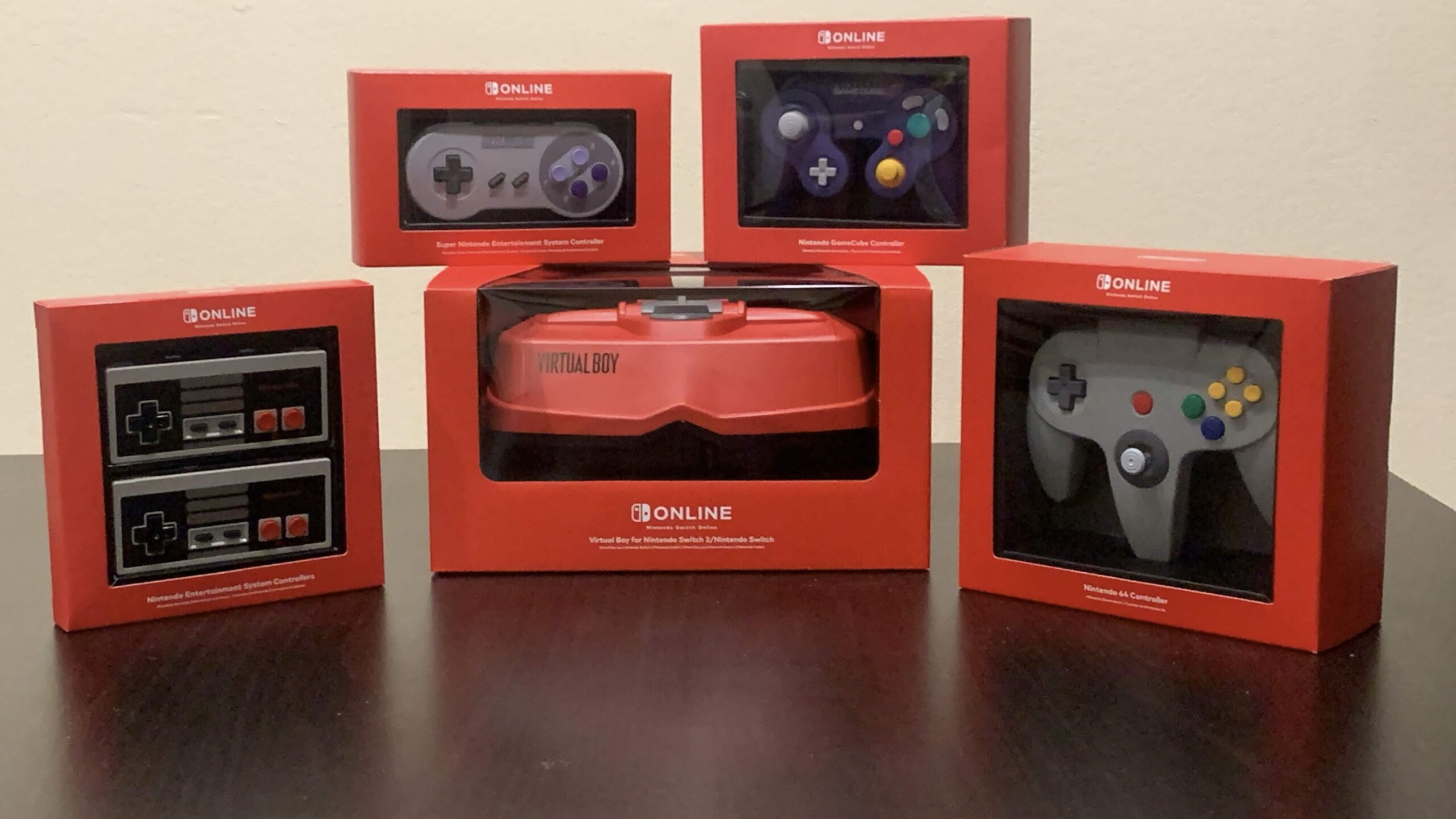
Regardless, it is overall nice to have access to these titles. And I like how you can replicate the original feel of the console titles using the controllers Nintendo provided. A perk of the subscription is being able to buy modern replicas of console controllers, from the NES, SNES, N64, GameCube, and even the SEGA Genesis controller. The Nintendo controllers come in nice red boxes with a plastic window allowing you to see the controller, making them great for displaying. The NES controllers attach to the side of the Switch using rails to be charged, while the rest use USB Type-C cables. As far as I am aware, the controllers are one-to-one with their original counterparts, but include some extra buttons to make use of the Nintendo Classics menus. They can function with other games, but be aware that the NES and SNES controllers do not have a dedicated Home or Capture button.
Another unique aspect of the NES and SNES controllers is that both Europe and Japan have regional variants, with the coloured buttons on the SNES compared to America’s purple colored buttons and the Famicom Controllers in Japan. Though these controllers can only be shipped within their region. The NSO controllers are neat if you want to experience the older titles with their dedicated controllers. Some games are preferable to be played with them, such as “F-ZERO X,” being easier to control with the N64’s analog stick over the Switch’s analog stick. However, since the controllers are behind an NSO subscription, most people are unable to buy these nice controllers. Not to mention, last July, the controllers’ prices were raised, most likely due to economic factors. I still find it neat that Nintendo offers these controllers so you can replicate the games with their original controllers, along with bringing back their older controllers with the Switch.
With that in mind, there are the Virtual Boy headsets—a cardboard one and a plastic replica of the original. They are required to play the Virtual Boy games on the Switch systems. While it is neat that you can experience these games as they were originally played, it is baffling that Nintendo advertised the goggles as being necessary to play these titles.
Nintendo Classics Virtual Boy became available mid-February of this year. While Nintendo says you need the headsets, you can use a Labo VR Headset, if you own one, with your Switch and Switch OLED models. Now, there is no real way to know if you have a headset or not, so you can play without one. However, there are two small screens to make use of the headsets, so it will be a small screen with it. There are some good Virtual Boy games, like “Virtual Boy Wario Land.” From what I played, it is an enjoyable short game only released for the Virtual Boy. You are not able to get any in-system recordings of the Virtual Boy, nor are you able to play it docked.
Now with the headsets, you have the option between holding the goggles to your face or putting your face in the goggles. The Virtual Boy model is a replica of the original, with the stands and the plastic shell for you to input your Switch or Switch 2, with the right plate. If you heard how uncomfortable it was, it still is, with you needing the right height to play without slouching. The cardboard headset is more comfortable for me, just because it’s not stuck to one position. The option is alright, though the Virtual Boy model is $99.99 (USD). Admittedly, the quality of the model is there, but I do wish they replicated the original controller to warrant the price tag. Otherwise, it is an overpriced pair of goggles with a stand for lineup you are not really missing out on.
Additional Perks
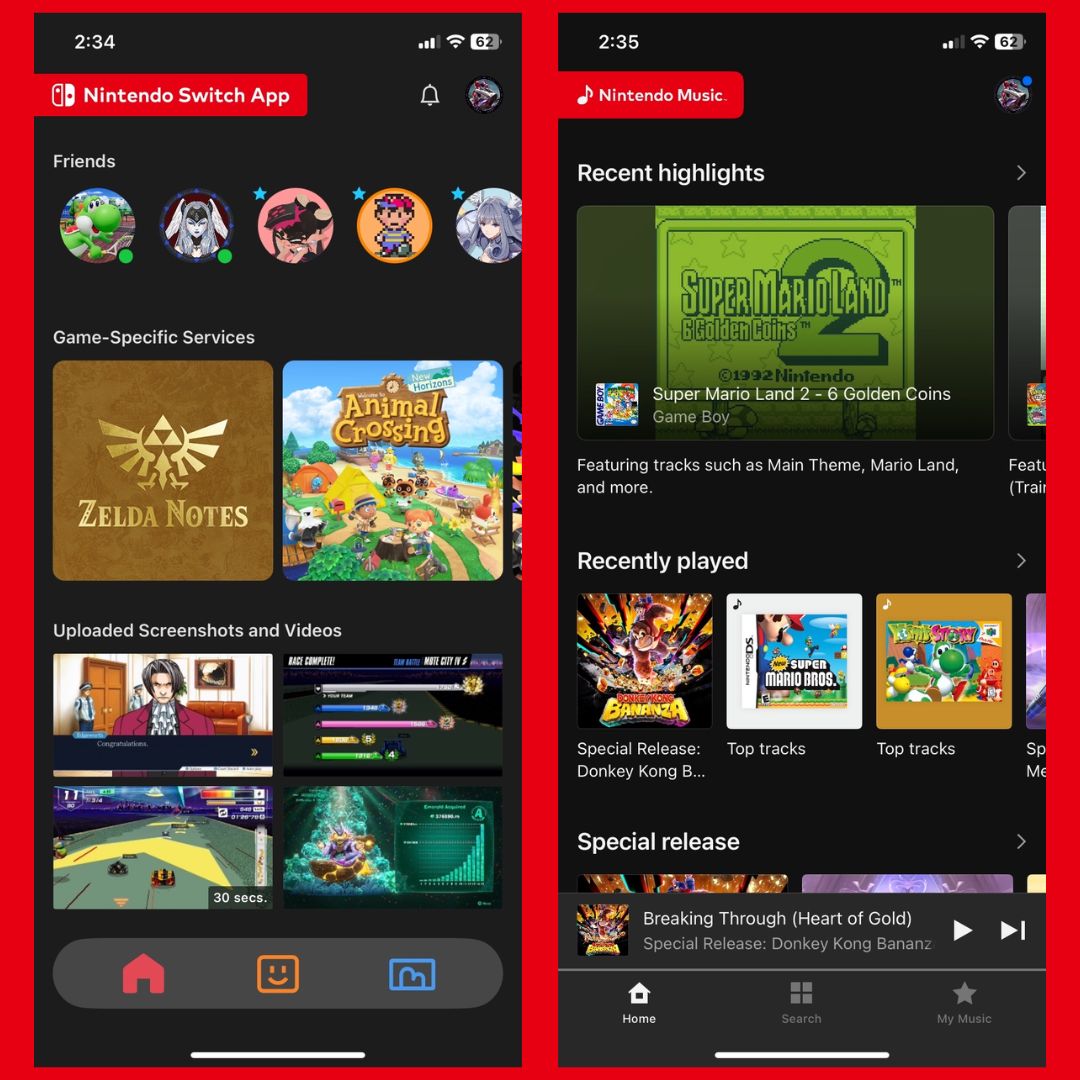
Most people with a Switch or Switch 2 system and an NSO subscription either forgot about the NSO mobile app or are not aware of it. Initially, the Nintendo Switch app, formerly the NSO app, is an addition to the subscription, allowing for voice chat functionality in game lobbies, having game apps within for additional usage with Nintendo games, and, with the Switch 2, allows you to share screenshots and videos from your Switch 2 system.
The voice chat feature does work and allows you to talk with others in online lobbies of some Nintendo Switch titles. I have not used it in years, mainly since it is a bit difficult to have the app open when I am playing online, and even then, there are other platforms for voice chatting with your friends. With the Switch 2, you can upload screenshots and videos from your system to your mobile phone to share with other people. They are at a lower resolution than from the system directly, but more convenient to share than with Switch’s method.
With the game-specific services, there’s SplatNet 2 and 3 for “Splatoon 2 and 3,” tracking your offline and online progress, allowing for exclusive in-game clothing, and niche rewards like wallpapers. Then there’s Smash World, where you can see videos uploaded from “Super Smash Bros. Ultimate,” see your own posts and manage your Spirits list. NookLink has functionality for “Animal Crossing: New Horizons” viewing your catalog, scanning in custom designs, and other features. Lastly, there are Zelda Notes for the Switch 2 Editions of “The Legend of Zelda: Breath of the Wild” and “Tears of the Kingdom,” that offers a map guide for secrets and Zelda’s memories about in-game locations.
The app has been a part of NSO since its release, but only some games are made, and I believe most people make use of it. It offers some game usage for certain titles, but it is not consequential to not use them, with some being niche uses or behind an upgraded version of the title. Definitely the most useful feature has been being able to share screenshots and videos from the Switch 2 with other people.
NSO’s second app, the Nintendo Music App, is interesting, since it is where Nintendo is officially putting their game soundtracks (outside of “Kirby: Plant Robobot” on Spotify). Nintendo never put their soundtracks on other music streaming platforms. While this sounds like a fine idea, the Nintendo Music App is only on mobile devices, and it has over a hundred Nintendo game soundtracks, which sounds like a lot, but it is only a fraction of Nintendo’s entire gaming library. They have an extensive history of games, thus a large library of soundtracks, but they have only added one every week for the past year. In my experience, you would have to go out of your way to use the app, considering other platforms, you have many alternatives for a wider range of music and other media to listen to. While this app is a nice idea, it is not ideal to listen to Nintendo’s soundtracks, let alone music in general.
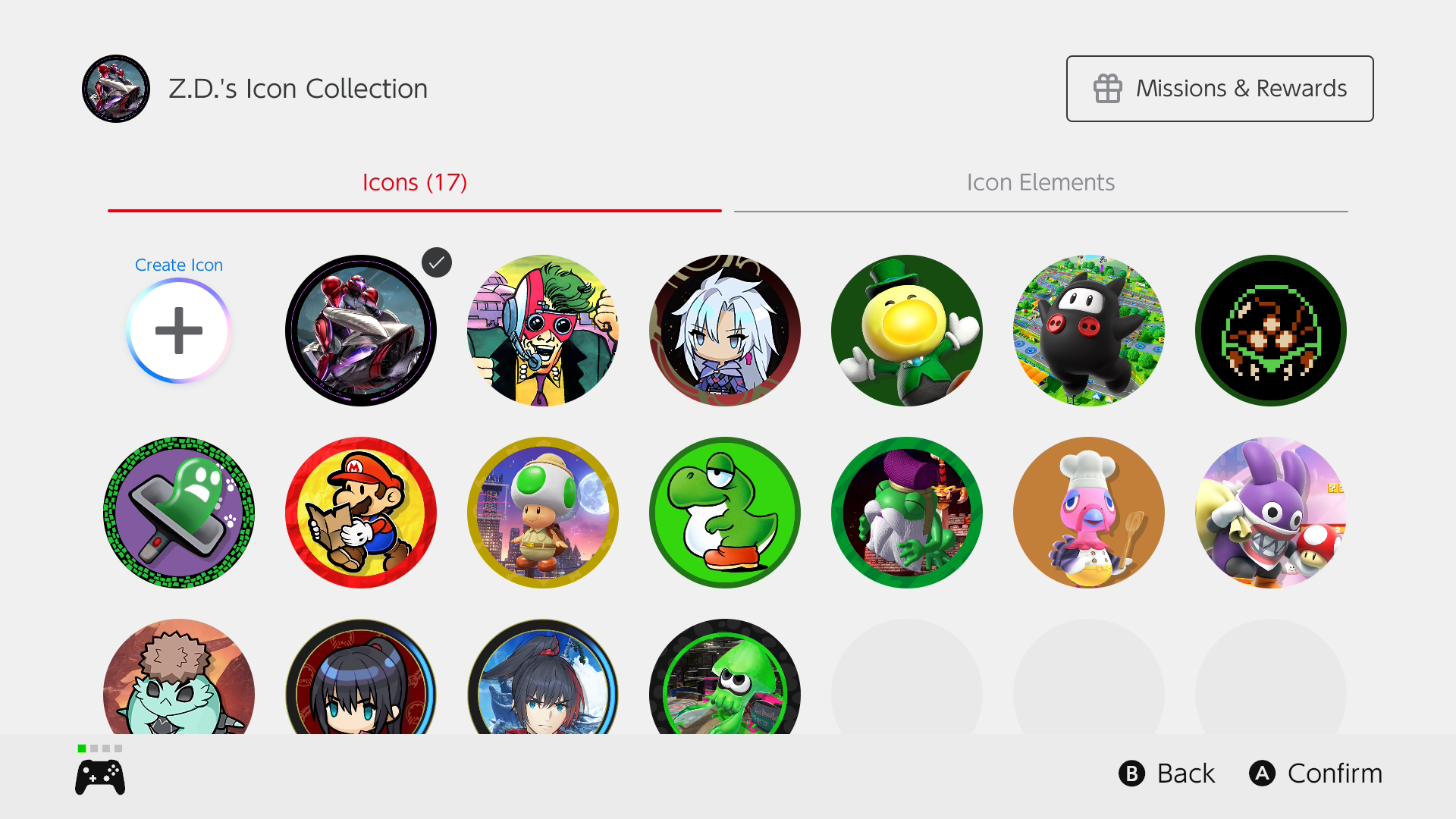
Profile icons have grown since the Switch came out. The Switch already comes with some icons to choose from, colored backgrounds, or you can use your Mii. The Switch 2 expanded that library, but NSO does provide alternative profile icons. NSO periodically rotates between game titles and series for icon elements to buy using My Nintendo’s Platinum Points. Then, you can customize icons based on those titles or game series. It is nice to have options, but it systemically feels off.
When a new game releases, Nintendo puts profile icons up for the next month. These range from characters, backgrounds and borders. They do rerun icons occasionally or drop new ones from old titles. Icons from “Super Mario Odyssey,” “Mario Kart 8 Deluxe,” “Super Mario Bros. Wonder,” “Super Mario 3D World + Bowser’s Fury,” and “Animal Crossing: New Horizons” are in constant rotation, but you need to have opened the games recently to use them. There are also the Nintendo Classic icons that require you to open the game in the emulators. If you want an icon from a game in the Expansion Pack, but you are not subscribed to that tier, you cannot get it.
You purchase these icons using Platinum Points linked to your Nintendo Account. You get Platinum Points from trivial tasks, such as playing online once a week or using Cloud Save Data. Sometimes you need to play certain titles for points. What makes the system a bit iffy is that if you’re trying to go for an entire set of icon elements, you may not be able to complete it. The missions are limited in how many points you can get, and the costs of the profile elements stack up. The different characters, images, background and border elements add up, and with multiple icons in rotation, you are limited in choice. Realistically, you will not go for every icon in a set, but if you decide to go for the whole thing, you had better hope you have enough points.
NSO does offer some games to play outside of retro titles. First, they offer free game trials, where the full game is available to play for a week. The games they offered have been mostly non-Nintendo titles from 3rd party developers and Indie devs. The full game is there to play while the trial period is active.
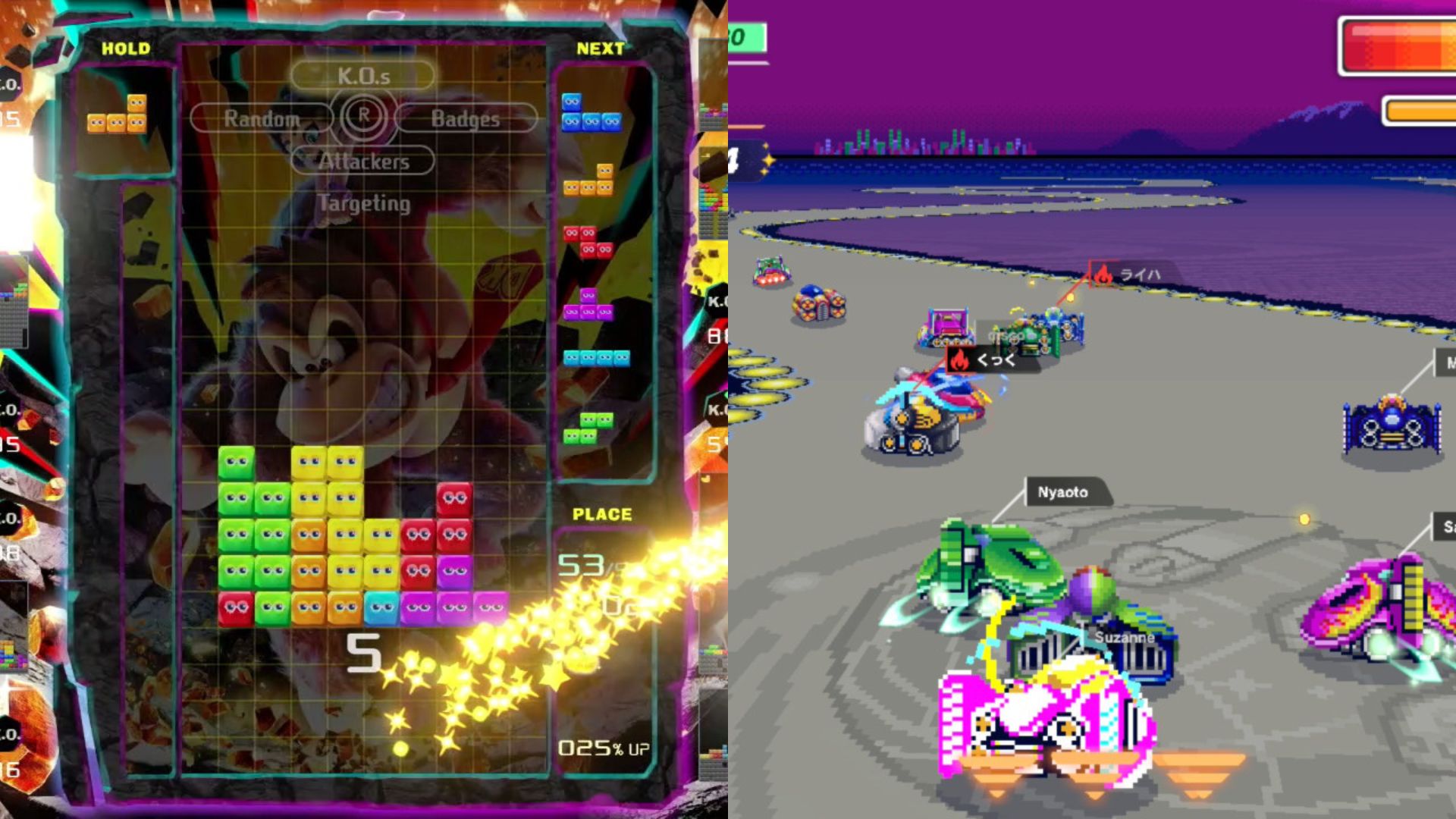
Then, there is “Tetris 99” and “F-ZERO 99,” battle royale takes on the classic titles. “Tetris 99” plays well against 98 other players, with missions and badges to keep coming back daily. For a good few years now, they have added theme screens based on other Nintendo releases, stemming from “Splatoon 2” to recent releases of “Donkey Kong Bananza” and “Kirby Air Riders.” “F-ZERO 99” is a fun take on the original, with 99 machines on the original tracks. It allows you to customize each of the four machines’ looks and your pilot card. Since its release, the game has been getting updates up to December of last year, adding Mirror Leagues, content from an F-ZERO that never left Japan, and more customization options. Both of these free games are great experiences if they are your cup of tea.
The Switch 2 will have an exclusive perk for the general NSO subscription, which is the Switch 2’s GameChat feature. This allows you to be in a VC with your friends and screenshare your screen. It works for what it is, and it is currently in free-access for all Switch 2 users. The free-access ends on March 31st, then it becomes a part of the subscription.
Expansion Pack
The Expansion Pack is more than double the price of the base NSO subscription, but it does offer more with its Nintendo Classics lineup and additional content. With it, you get the N64, Genesis and GBA library, along with GameCube for the Switch 2 and some of Nintendo’s DLC. These DLCs are available separately, some before they were added to NSO, but they are bonuses here if you do not have them. The DLCs included are “Splatoon 2: Octo Expansion”, “Mario Kart 8: Deluxe – Booster Course Pass”, and “Animal Crossing: New Horizons – Happy Home Paradise”. Having only experienced the first two, “Octo Expansion” was a great DLC for “Splatoon 2”, with its trial-based stages and extension of the world of Splatoon, and the “Booster Course Pass” does add 48 courses to the game, in addition to new characters.
Along with those DLCs, for the Switch 2, you get access to the Switch 2 Upgrade Packs for “The Legend of Zelda: Breath of the Wild” and “Tears of the Kingdom”. They are neat bonuses to have if you have no intent of getting the Upgrades yourself, as well as the DLC. Though for me, they are just extras for a tier I mainly use to play retro titles. Just extra, all things considered.
The prices for the full year are $19.99 USD for the base subscription and $49.99 a year with the Expansion Pack; however, there is also the family plan. The family plan for the NSO base tier and Expansion Pack are $34.99 and $79.99, respectively, and it allows for up to eight accounts to have access to Nintendo Switch Online. So, you could split the bill with at least one person, making it cheaper than solely paying for the individual plan.
Final Thoughts
My main gaming platform has been Switch for nearly the last decade, so this is my only gaming subscription. It is easy to point out that NSO is cheaper yearly than the XBOX Game Pass and PlayStation Plus; however, they have the perk of including modern games from their console library compared to Nintendo. Ultimately, it comes down to whether or not you get your money’s worth from the subscription. Do you play enough to say you got the value out of it or not? Personally, I have made good time from playing Nintendo’s retro titles from their service, even crossing more than 100 hours last year, so I got away with the fee.
There are so many NSO offers, yet there are a good number of cons that hinder it, when you think about it. It took them three years to add “Super Mario Land,” one of the Game Boy’s signature games, to the Game Boy library. While the prices have remained the same through the years, despite the gradual increase, last year, the price for the subscription in Canada increased. It may be a one-off case, but who knows. With Nintendo, you cannot really say.
Nintendo Switch Online is a perfect encapsulation of the company in recent years. They offer good service, but there are questionable business practices in how they go about it. Game Vouchers, which I do not talk about, are getting removed later this year. The vouchers allowed you to buy two Nintendo games at a discount. While the subscription is passable in terms of pricing, it is another subscription you are paying for. They are the last company to add an online subscription for their console, following their competitors, and while it is a good service, with a lot that they offer, there is only a portion that most people use it for, mainly online and retro titles. While NSO has improved from when it launched, there are some issues with it that leave a few stains on a passable $20 a year charge.